CLI
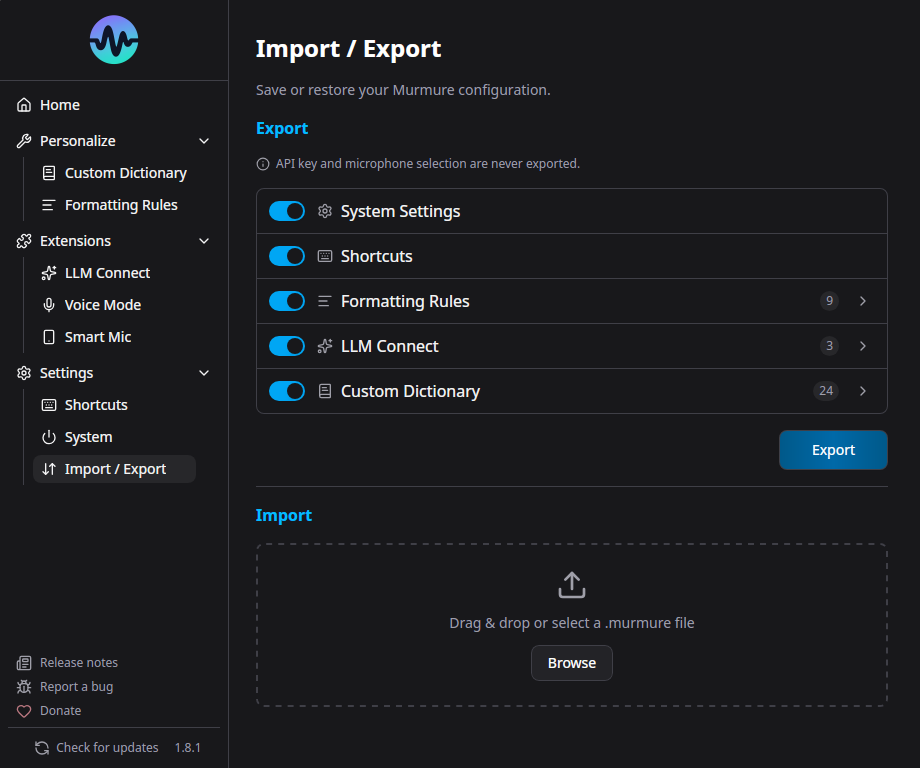
Starting from version 1.8.0, Murmure provides a command-line interface for importing configuration files. This is useful for IT administrators deploying Murmure across multiple workstations or for sharing settings between machines.
Usage
Commands
| Command | Description |
|---|---|
murmure --help |
Show help |
murmure --version |
Show version |
murmure import <FILE> |
Import a .murmure configuration file |
murmure import <FILE> --strategy replace |
Replace all settings (default) |
murmure import <FILE> --strategy merge |
Merge with existing settings |
Import Strategies
- replace (default) - Overwrites all existing settings with the imported ones
- merge - Keeps existing settings and adds new ones from the import file. Existing values are preserved.
Platform-Specific Paths
The .murmure File Format
The .murmure file is a JSON file with the following structure:
{
  "version": 1,
  "settings": { ... },
  "shortcuts": { ... },
  "formatting_rules": { ... },
  "llm_connect": { ... },
  "dictionary": { ... }
}
Each section is optional - you can import only the parts you need.
Use Cases
IT Mass Deployment
Combine with silent MSI install for deploying pre-configured Murmure:
# Install silently
msiexec /package Murmure_x64.msi /quiet

# Import company configuration
murmure.exe import company-config.murmure
Sharing Settings
Export your settings from Murmure, share the .murmure file, and the recipient imports it:
Notes
- CLI operations are fast - they detect early and skip full app initialization
- If Murmure is already running, the import triggers a hot-reload of settings
- The import validates the file format and version before applying